How Schools Can Benefit from Teaching Touch Typing Early
Typing has become a basic part of modern education. Students use keyboards to write assignments, research topics, complete online activities, communicate with teachers, and work with digital learning platforms.
Yet many students learn to type informally rather than being taught an efficient technique. They may rely on two or three fingers, repeatedly look down at the keyboard, or develop inconsistent habits that become harder to change later.
Teaching touch typing gives students a structured way to become more confident and efficient with a keyboard. Schools do not need to turn typing into a major subject; even short, regular practice sessions can help students develop better keyboard familiarity.
Students can also use an online typing test periodically to measure their WPM, accuracy, and consistency as they practice.
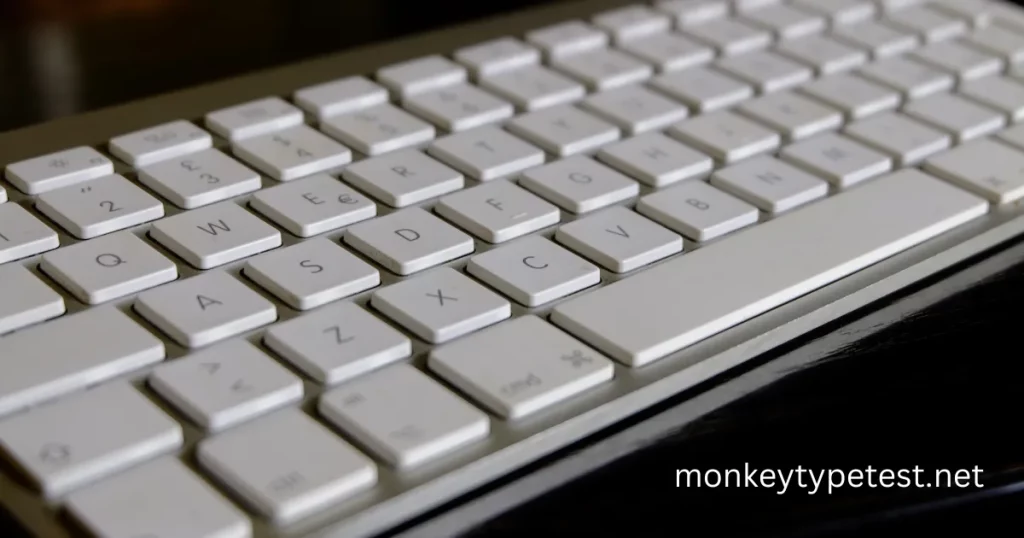
What Is Touch Typing?
Touch typing is a method of typing without needing to constantly look at the keyboard.
Instead of searching visually for each letter, typists learn where keys are located and use different fingers to reach them.
A common starting position is the home row:
- Left hand: A, S, D, F
- Right hand: J, K, L, ;
- Thumbs: Spacebar
The raised marks on the F and J keys help typists locate the home-row position without looking down.
As students practice, finding keys becomes increasingly automatic and they can focus more attention on the text appearing on the screen.
Why Should Schools Teach Touch Typing?
Students interact with computers throughout their education.
They may need to:
- Write essays and reports
- Complete online assignments
- Search for information
- Take notes
- Create presentations
- Enter information into forms
- Participate in online learning
- Communicate through email or learning platforms
- Learn programming and other digital skills
Keyboard ability therefore supports many other activities students already perform.
Touch typing does not replace writing, reading, research, or computer literacy. Instead, it provides another practical skill that can make digital work easier.
1. Students Can Focus More on What They Are Writing
Students who constantly search the keyboard for individual letters need to divide their attention between the keyboard and the screen.
As keyboard familiarity improves, less attention is needed simply to locate keys.
This can make activities such as writing an essay or answering an online question feel more natural because the student can spend more attention thinking about the content.
Touch typing therefore works best when viewed as a supporting skill rather than an academic goal by itself.
2. It Helps Students Type More Efficiently
Typing speed usually develops through familiarity and practice.
A student who knows where the keys are located can generally enter text more efficiently than someone who must visually search for every character.
However, schools should avoid making speed the only goal.
A better progression is:
- Learn where the keys are located.
- Develop comfortable finger movements.
- Improve accuracy.
- Gradually increase speed.
- Practice maintaining a steady pace.
Students can occasionally take a typing speed test to see how their WPM and accuracy change over time.
3. Accuracy Becomes Part of the Learning Process
Typing quickly is not very useful if every sentence contains mistakes.
Touch-typing lessons can teach students to concentrate on accurate keystrokes before trying to achieve very high WPM scores.
This is especially important for beginners.
If students learn to value accuracy from the beginning, they are less likely to develop the habit of rushing through text and repeatedly correcting mistakes afterward.
Teachers can encourage students to compare both their speed and accuracy, rather than rewarding whoever produces the highest WPM.
Our guide on how to improve typing speed and accuracy explains this balance in more detail.
4. Typing Progress Is Easy to Measure
One useful feature of typing practice is that progress can be measured.
Students can record results such as:
- WPM
- Accuracy
- Number of errors
- Consistency
- Personal best
For example, a student might take a 60-second test at the beginning of a school term and repeat a similar test after several weeks of practice.
This gives both students and teachers a simple way to see whether keyboard skills are developing.
It is important to use similar test conditions when comparing results because WPM can change depending on test duration, text difficulty, punctuation, and other settings.
Students who want to understand their scores can also read what is a good typing speed.
5. Touch Typing Supports Digital Literacy
Knowing how to use a keyboard confidently is one part of broader digital literacy.
Students increasingly interact with:
- Web browsers
- Word processors
- Spreadsheets
- Learning management systems
- Presentation software
- Coding environments
- Communication platforms
Being comfortable with the keyboard makes interacting with these tools easier.
Schools already teach students how to use digital technology. Keyboard skills fit naturally into that education.
6. It Can Help With Longer Writing Tasks
Short messages can be written fairly easily even by inexperienced typists.
Longer tasks are different.
Writing:
- Essays
- Research assignments
- Reports
- Project documentation
- Presentation notes
- Long-form answers
requires sustained keyboard use.
Students who are comfortable typing can spend less time searching for keys and more time working through the task itself.
This becomes increasingly relevant as students progress into higher grades and are expected to produce more digital work.
7. It Is Useful for Programming and STEM Activities
Programming requires frequent keyboard use.
Students working with code may need to type:
- Letters
- Numbers
- Parentheses
- Brackets
- Punctuation
- Symbols
- Keyboard shortcuts
Typing speed alone does not make someone a good programmer, but being comfortable with the keyboard can make writing and editing code less awkward.
Keyboard familiarity can therefore support coding lessons and other technology-focused school activities.
Students interested in how different keyboard designs affect typing can read our guide to QWERTY, Dvorak, and Colemak keyboard layouts.
8. Students Can Become Less Dependent on Looking at the Keyboard
Beginners commonly alternate between looking at the screen and looking down at the keyboard.
Touch typing gradually trains students to recognize key positions through repeated movement.
Teachers can encourage students to keep their eyes on the screen while typing simple exercises.
This may initially make students slower.
That is normal.
The goal during early practice should be developing familiarity and accurate finger movement rather than achieving a particular WPM score immediately.
9. It Gives Students a Skill They Can Continue Using
Keyboard skills learned at school are not limited to classroom assignments.
Students may later use typing for:
- University work
- Job applications
- Workplace communication
- Writing
- Programming
- Data entry
- Research
- Personal projects
- Online communication
Technology will continue changing, but physical and virtual keyboards remain common ways of entering text.
Developing comfortable typing habits at school therefore provides a practical skill students can continue using later.
10. Typing Practice Can Be Easy to Include in the School Day
Typing lessons do not necessarily require long classroom sessions.
Schools could use short practice periods such as:
- A warm-up at the beginning of a computer lesson
- Several minutes during digital-literacy classes
- Optional practice during computer-lab time
- Homework practice
- Short typing challenges
- Periodic WPM and accuracy checks
Short sessions may be easier to fit into an existing curriculum than creating a completely separate typing subject.
Consistency is more important than turning every practice session into a long test.
How Should Schools Teach Touch Typing?
A simple progression can work well.
Step 1: Learn the Home Row
Students first become familiar with:
A S D F
and
J K L ;
The F and J keys normally contain raised markers that help position the index fingers.
Step 2: Introduce Additional Keys Gradually
Instead of trying to memorize the entire keyboard at once, students can gradually practice letters reached by each finger.
Step 3: Prioritize Accuracy
Students should initially type at a comfortable pace.
The goal is to press the intended key consistently.
Step 4: Practice Without Looking Down
As familiarity improves, encourage students to keep their eyes on the screen.
Step 5: Introduce Complete Words and Sentences
Once individual keys feel familiar, students can practice:
- Common words
- Sentences
- Quotes
- Punctuation
- Numbers
Step 6: Measure Progress Occasionally
Periodic typing tests can give students feedback without turning every session into a competition.
They can use our Monkeytype test to measure WPM, accuracy, consistency, and errors directly in the browser.
Should Schools Set WPM Targets?
WPM targets can be useful as general goals, but schools should be careful about treating a particular speed as a pass-or-fail requirement for every student.
Typing ability varies according to:
- Age
- Experience
- Practice
- Keyboard familiarity
- Individual learning pace
- Test duration
- Text difficulty
Instead of focusing entirely on reaching a fixed number, teachers can measure individual improvement.
For example, moving from 20 WPM to 30 WPM while improving accuracy can be meaningful progress even if another student already types much faster.
The goal should be developing useful keyboard skills rather than creating unnecessary pressure around a single number.
Accuracy or Speed: What Should Students Learn First?
Accuracy should generally come first.
If students immediately try to type as quickly as possible, they may develop sloppy habits and become dependent on correcting mistakes.
A better process is:
Accuracy → familiarity → rhythm → speed
Once key positions become familiar, speed often becomes easier to develop.
Students can then gradually challenge themselves with longer or more difficult tests.
How Long Should Students Practice Typing?
There is no universal practice duration that works for every school or student.
Short sessions can be effective because typing is a skill learned through repetition.
The most important factors are:
- Regular practice
- Appropriate difficulty
- Accurate technique
- Gradual progression
- Avoiding unnecessary fatigue
Schools can experiment with short practice periods and adjust them based on students’ age and curriculum.
Should Students Use Typing Games?
Typing games can make keyboard practice more engaging, particularly for younger students.
Games can provide a break from traditional word drills while still encouraging keyboard familiarity.
However, games should complement structured practice rather than completely replace it.
A balanced approach could include:
Typing lessons for technique
Typing tests for measurement
Typing games for variety and engagement
You can see some options in our guide to typing games to play online.
Touch Typing and Handwriting
Touch typing should not be treated as a replacement for handwriting.
The two skills serve different purposes.
Students may still need handwriting for:
- Classroom notes
- Exams
- Mathematics
- Diagrams
- Personal writing
- Situations where computers are unavailable
Typing becomes another tool students can use when working digitally.
Schools can therefore teach keyboard skills alongside handwriting rather than choosing between them.
Does Voice Typing Make Keyboard Skills Unnecessary?
Voice-to-text technology is useful, but it does not make keyboards irrelevant.
There are many situations where speaking aloud is inconvenient or inappropriate, including:
- Quiet classrooms
- Libraries
- Shared workplaces
- Public spaces
- Private communication
- Editing text precisely
- Programming
- Entering passwords or structured information
Typing therefore remains a useful digital skill even as speech-recognition technology improves.
Frequently Asked Questions
What is touch typing?
Touch typing is a method of typing where users learn key positions and type without needing to constantly look down at the keyboard.
Why should students learn touch typing?
Touch typing can help students become more comfortable and efficient when completing digital tasks such as assignments, research, notes, and online activities.
At what age should children learn touch typing?
There is no single age that is appropriate for every child. Typing can be introduced when students are regularly using keyboards and can comfortably follow basic finger-placement exercises.
Should schools focus on WPM?
WPM can be useful for measuring progress, but schools should also pay attention to accuracy, technique, and individual improvement.
How often should students practice?
Regular short practice sessions can be easier to incorporate into school routines than occasional long sessions. The appropriate amount depends on students’ age, ability, and curriculum.
Is touch typing better than looking at the keyboard?
Learning key positions can reduce the need to repeatedly look down while typing and may make keyboard use more efficient as familiarity develops.
Can typing games help students learn?
Typing games can make practice more engaging and provide useful variety, but they work best alongside structured keyboard practice.
Should typing replace handwriting in schools?
No. Typing and handwriting are different skills and can both remain useful parts of education.
Final Thoughts
Touch typing is a practical digital skill that schools can teach alongside other forms of computer literacy.
The goal should not simply be making every student type as fast as possible.
A better objective is helping students become comfortable, accurate, and confident keyboard users who can focus on their work instead of constantly searching for keys.
Schools can introduce keyboard positions gradually, emphasize accuracy, use short regular practice sessions, and occasionally measure improvement with typing tests.
Students who want to check their current performance can test their typing speed online and use their WPM, accuracy, consistency, and errors as a starting point for further practice.